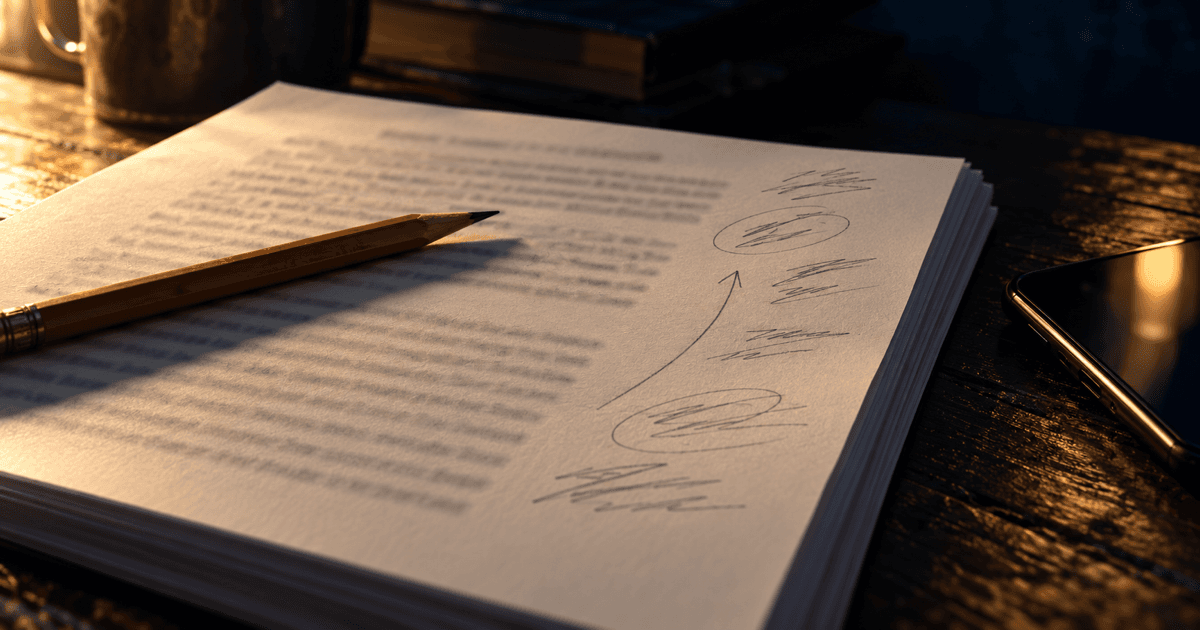
The first reader of the book I'm drafting in DraftDesk doesn't read on a screen. She prints the chapters, reads them with a pencil, and hands the pages back covered in cuts, word swaps, arrows, and the occasional "why?" in the margin.
That's the best feedback I get, and for a few rounds it cost me an evening each time. Nineteen printed pages, and I was retyping every mark into the editor's margin notes by hand, hunting for the sentence she meant. The printout had page numbers. The editor didn't. So step one of every note was a search.
This week I built the thing that should have existed from the start: scan the pages with a phone, upload the scan, check what was read, save. The interesting part wasn't the scanning. It was deciding what a note is attached to.
Pages are the wrong key
My first instinct was page numbers. She writes on page 7, I find page 7. But the page is a decision the print engine makes. Change the font size, the margin, or one paragraph in chapter 2 and every page after it shifts. A page number is a coordinate in a layout that only existed on one afternoon.
So notes don't match by page. They match by the words she marked.
The reader (a Claude job on my Mac Mini, handed the scan plus the exact chapter text she was holding) returns one JSON item per mark: which chapter, which page, what kind of mark (cut, replace, insert, comment, question), the printed words the mark touches copied out of the chapter text, the replacement words if there are any, and her comment transcribed as written. Every item also gets a confidence, low when the handwriting or the target is unclear. It's told never to invent: an unreadable word comes back as "[illegible]" and flagged.
The page number survives as metadata, only useful for me to glance back at the paper.
Matching in three passes
The app then has to find each quoted passage in the chapter. Three passes, strictest first:
- Exact. The quote appears in the text verbatim.
- Normalized. Collapse whitespace, straighten curly quotes, unify dashes and ellipses, drop markdown emphasis markers, ignore case. I keep an index map back to the original so the anchor lands on the real characters, not the cleaned copy.
- Fuzzy. Slide a window over the chapter and score word overlap (Dice coefficient, 0.6 or better, quotes of three words or more), then trim the match to the words both sides share.
Anything that still doesn't land stays in a checklist for me to place by hand. Nothing gets saved until I've seen it. Each item shows the page, the kind badge, the matched sentence highlighted, and her words, with a box to keep, edit, or drop. Low-confidence items are flagged with the reason.
One more piece mattered more than I expected: the scan gets matched against the version she actually read, not whatever the chapter says today. Printing a chapter for review now starts a review round and snapshots that text, so her notes attach to the words on her paper even if I've been editing since.
The real scan
I tested it on her actual round-one pages: four handwritten pages, against the text she marked up.
It found 28 marks. All 28 anchored on the exact pass. Every cut, word swap, and sentence split from my own hand-made list of 19 edits was there. Eight came back low-confidence: a wordless arrow, a couple of stray marks, and one genuinely illegible word. That's the right eight to flag. I'd rather review eight than discover one wrong note three chapters later.
I'd half expected the fuzzy pass to carry the load. It didn't fire once. The reader had copied the printed text exactly, because it had the text in front of it. The fuzzy pass is insurance, and I'm keeping it.
The bug that proved the point
The same day, margin notes started landing on the wrong words. A note on the word "in" was underlining the "in" inside "behind." A note anchored to a whole sentence matched nothing at all and fell out of the margin.
Notes store a character offset into the chapter's markdown. To place a note, the editor counted how many times the anchor text appeared before that offset, then picked that same occurrence in the live document. "The third 'in' in the chapter."
The problem was that the offsets drifted. Chapters written by the pipeline use * * * for scene breaks. The editor serializes a scene break as ---. Two characters shorter, every time. By the fourth scene break, a stored offset sat eight characters early. Counting occurrences before a slightly wrong offset gives you a slightly wrong count. For a long phrase that means no match. For a two-letter word, it means the next "in" in the text, wherever it happens to be, even mid-word.
The fix was the same idea as the scan import, applied one level down. Stop treating the offset as the address. Treat it as a hint:
for (let at = markdown.indexOf(text); at !== -1; at = markdown.indexOf(text, at + 1), k++) {
  if (at === mdOffset) return k; // exact offsets (search, lint) never move
  const score = Math.abs(at - mdOffset) + (wholeWord(at) ? 0 : 1_000_000);
  if (score < bestScore) { bestScore = score; best = k; }
}
If the text is exactly at the stored offset, use it. Otherwise take the nearest occurrence, and heavily prefer one that stands as a whole word. "In" next to "behind" now loses to a real "in" a few characters away. A note whose words moved earlier in the chapter, because I cut a paragraph above it, still finds them.
What I took from it
Positions are derived data. Page numbers come from a layout, character offsets come from a serializer, and both change when something upstream changes, even something as small as how three asterisks get written back out. The words are the thing she actually marked. They're the primary key. Everything else is a hint for finding them faster.
It's the same lesson I keep relearning in data work: join on the thing that means something, not on the row number that happened to be true when the extract ran.
The round-two pages are already printed. This time I'm scanning them instead of retyping them, and I'm getting my evening back.